Best Budget Gaming Keyboard 2026 Guide
The best budget gaming keyboards in 2026, from the value-king Keychron C3 Pro to the silent SteelSeries Apex 3 — no fluff, just the gear that gets out of your way.

You are probably tired of looking at $200 price tags for a piece of plastic and some switches. Finding the right gear shouldn't feel like a heist on your own bank account. In a previous guide we covered wired vs wireless mice for performance. Today, we are finishing the set by finding you the best budget gaming keyboard for 2026.
At Game Verdict, we believe in speed. Our community casts 5-second votes to tell you exactly how to play your favorite games. We apply that same "no-fluff" logic here. You want a keyboard that registers every click, looks great on your desk, and leaves you with enough cash to actually buy the games you want to play.
Mechanical vs Membrane: The Great Debate
Before you drop any cash, you need to decide which side of the fence you are on. This choice defines your entire experience.
Mechanical Keyboards
Mechanical boards use individual physical switches under every single key. When you press down, you are hitting a spring-loaded mechanism that sends a clear signal to your PC. These are the gold standard for gaming. They offer better durability, faster response times, and that satisfying "thock" sound that keeps you in the zone.
Membrane Keyboards
Membrane keyboards use a pressure-sensitive rubber dome layer. When you press a key, the rubber pushes down to complete a circuit. These are almost always cheaper and much quieter. While they used to be considered "mushy" and slow, modern budget options from brands like SteelSeries have closed the gap for casual play.
If you are playing high-stakes shooters like Counter-Strike 2, you want the precision of a mechanical board. If you are gaming in a shared bedroom and don't want to be evicted by your roommate, a quiet membrane board might be your best friend.
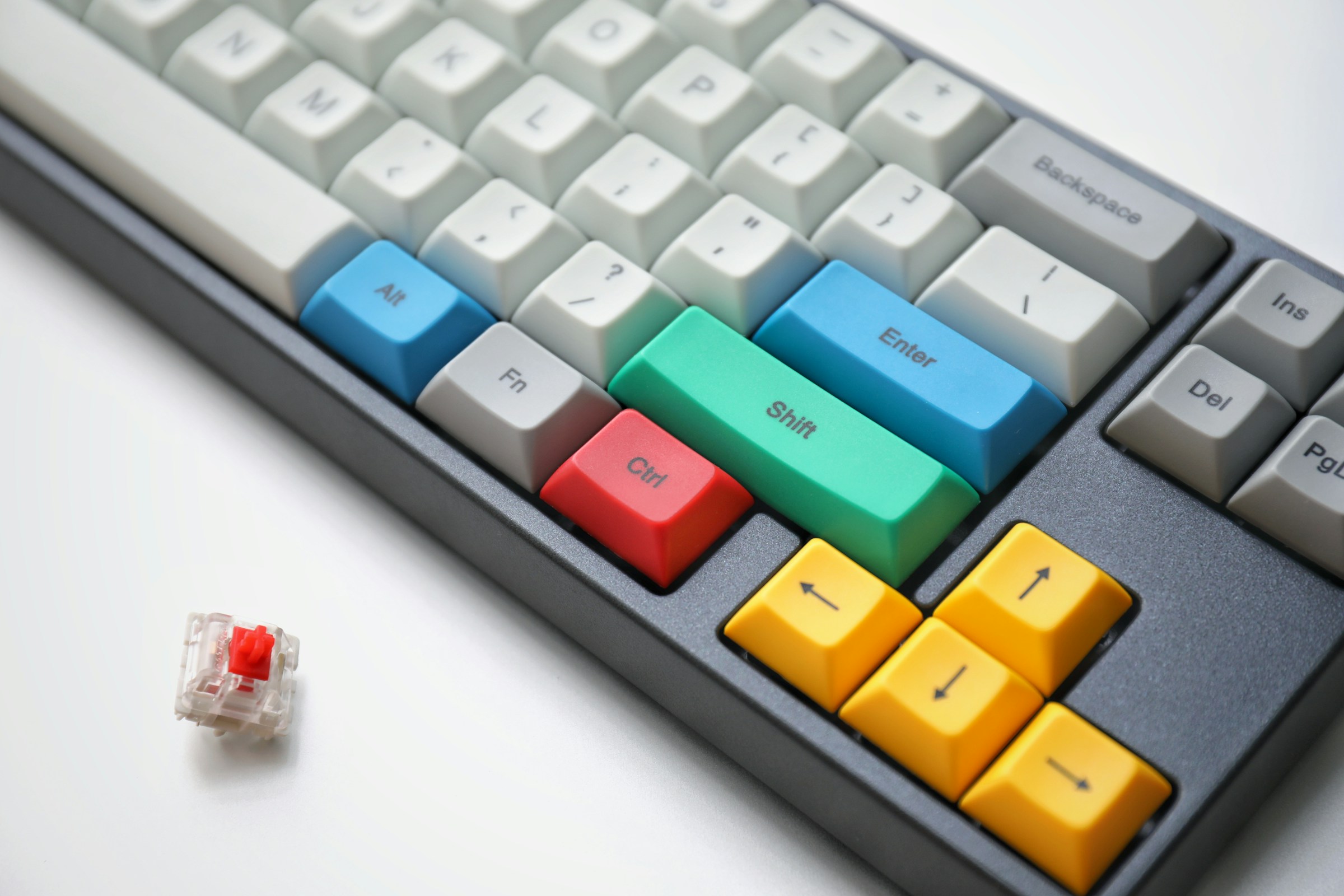
Understanding the Arsenal: Switches Explained
If you go the mechanical route, you will see a lot of talk about "switches." Don't let the technical jargon slow you down. Here is the punchy version of what you need to know:
- Linear (Red): Smooth from top to bottom. These are the favorite for gamers because they allow for rapid, uninterrupted key presses.
- Tactile (Brown): You feel a small "bump" when the key registers. These are the middle ground for people who game and type on the same machine.
- Clicky (Blue): These have a bump and a loud audible click. They are great for typing but can be a nightmare on a Discord call.
Most budget boards in 2026 come with pre-lubed switches. This means the manufacturer added a bit of grease to the parts to make them slide smoother. It sounds like a small detail, but it makes a $40 keyboard feel like a $100 one.
The Heavy Hitters: Top Budget Mechanical Keyboards 2026
You don't need to spend triple digits to get a pro-tier experience. Here are the best budget mechanical gaming keyboards that are dominating the scene this year.
1. Corsair K70 CORE (The Gold Standard)
The Corsair K70 CORE is arguably the best all-around budget gaming keyboard for most people right now. It usually sits right under that $100 mark but performs like a flagship. It features Corsair MLX Red linear switches that are silky smooth.
The build quality is legendary. You get a sturdy aluminum top plate and a dedicated multi-function dial that lets you control volume or brightness on the fly. It is a "set it and forget it" board that works perfectly with almost every game in our 800+ game library.
2. Keychron C3 Pro (The Value King)
If your budget is closer to $55, the Keychron C3 Pro is the undisputed champion. It is a Tenkeyless (TKL) board, meaning it drops the number pad to give you more room for your mouse.
What makes this board special is the gasket mount structure. This is an enthusiast-level feature that uses rubber inserts to cushion the typing experience, making it feel less stiff than other budget boards. It also supports QMK/VIA, which is a fancy way of saying you can remap every single key to whatever you want. For under $60, it is an absolute steal.
3. Ajazz AK820 Pro (The Enthusiast Choice)
Want something that looks and feels like a custom-built masterpiece? The Ajazz AK820 Pro uses a 75% layout, which is compact but keeps your arrow keys. It often features a small TFT screen that can show your PC's temperature or even a custom GIF. It is one of the best-sounding boards in the budget category, offering a deep, muted sound profile right out of the box.

The Stealth Ops: Best Budget Membrane Keyboards
Sometimes you need silence. Or maybe you just want to save every possible penny. These membrane boards are built specifically for gamers who need reliability without the mechanical noise.
1. Corsair K55 RGB Pro
The Corsair K55 RGB Pro is the "macro master" of the budget world. It includes six dedicated macro keys on the left side that you can program to do anything from casting spells to opening your favorite streaming software. It is also dust and spill-resistant, so if you tend to knock over your energy drink during a boss fight, you are safe.
2. SteelSeries Apex 3
SteelSeries knows how to make gear that lasts. The Apex 3 is incredibly quiet, using "low friction switches" that feel much more responsive than your standard office keyboard. If you want something even more compact, the Apex 3 TKL drops the numpad for a tighter footprint. Either way, if you are looking for a reliable, water-resistant board for under $50, this is the one.
What to Look for in Your Budget Build
When you are scanning the specs, look for these three things to ensure you aren't buying a lemon.
Polling Rate: You want a 1000Hz polling rate. This means the keyboard talks to your computer 1,000 times per second. Anything less can result in "input lag," where you press a key and your character stands there like a statue.
N-Key Rollover (NKRO): This ensures that no matter how many keys you mash at once, every single one is registered. This is vital for complex games like World of Warcraft where you might be holding down five buttons at the same time.
Form Factor:
- Full Size: Has everything, including the number pad. Great if you also do homework or taxes on your PC.
- TKL (Tenkeyless): Removes the number pad. This is the sweet spot for most gamers because it gives your mouse hand more room to move.
- 75% / 60%: Ultra-compact. Great for travel and minimalist desks, but you lose some utility keys.
Make Your Verdict
Your keyboard is your primary tool for navigating the digital abyss. Whether you choose the mechanical precision of the Keychron C3 Pro or the silent utility of the SteelSeries Apex 3, the goal is the same: get the gear out of the way so you can focus on the game.
Once you have your new board plugged in, browse our game library to find your next game and see what the community says: keyboard or controller. Not sure yet? Cast your own verdict in 5 seconds and help the next player decide.
Are you ready to upgrade your arsenal?
Affiliate Disclosure: Some links on this page may be affiliate links. Game Verdict may earn a small commission if you make a purchase through these links, at no additional cost to you. This helps support our community-driven research and input testing.
Legal Disclaimer: Game Verdict provides community-based recommendations. Individual player preferences may vary. Always check current pricing and product availability before making a purchase.